
On this page
If Google suspends your Business Profile, your listing drops off the map and the calls it sends you stop. For most home service companies, that's the biggest source of organic leads they have. When Coalmarch Marketing tracked 10 pest control and lawn care companies for a year, their Google Business Profiles produced 61% of organic leads and 65% of organic phone calls, and the profile was the top call source for every one of them.
Suspensions rarely happen for no reason. Google publishes rules for who can have a Business Profile and what can go on it, and most suspensions trace back to one of a handful of them. The catch is that several of those rules break habits that are normal in the trades: running the business from your house, adding your city to your business name, using a call-tracking number, or opening a second listing for the next town over.
This guide covers the common reasons home service profiles get suspended, the edits that can set one off, what to do if it happens to you, and how to keep it from happening again. Each section links to a more detailed post.
The 7 reasons home service profiles get suspended
Everything below comes from Google's guidelines for representing your business, which is the page Google points to when it suspends a profile. If you only read one Google help page this year, make it that one.
1Using keywords in your business name
Your profile name has to match the name customers see on your sign, truck and invoices. Google specifically rules out taglines, phone numbers, URLs, and service or location descriptions, and says extra name details "could result in the suspension of your Business Profile."
So if your trucks say "Smith Services," a profile called "Smith Pest Control & Termite Experts Raleigh" is a problem. The same goes for badges like "Factory Authorized Dealer" tacked onto an HVAC company's name.
The simple test is whether you can back the name up with paperwork. The name on your profile needs to match your business license. A DBA helps as a supporting document, but on its own it won't get you verified. As of October 2026, the standard is a business license that shows your address, or a lease agreement.
If you do need to change your name, expect it to trigger a re-verification, or even a suspension. Do it carefully, and only once your license, signage and website already show the new name.
2Using a virtual office or mailbox as your address
Google says a virtual office "isn't eligible for a Business Profile," and P.O. boxes or mailboxes at remote locations "aren't acceptable." Coworking spaces only qualify with your own signage and staff there during business hours.
This catches a lot of companies expanding into a new market. Renting a mailbox in the next city to get a second map listing is exactly what Google's rules are written to stop.
3Using a home address as a storefront
This is the suspension I've run into most. If you work at customers' homes and don't take walk-in customers, Google calls you a service-area business, and you "should hide your business address from customers." Listing your house as if it were a storefront tells Google that customers can walk in, and they can't.
Video verification now catches most of these before a new profile goes live. The ones still out there are older profiles set up before that, and they often get suspended when the owner makes a routine update and Google takes a fresh look.
More on this in Running a service business from home: Google's rules for owner-operators.
4A service area that's too big
Google says your service area "shouldn't extend farther than about 2 hours of driving time" from where you're based. Listing every county in the state because you'll take a job anywhere is a red flag, and it rarely helps you show up in those places anyway. If you want to see where you actually show up, the free report maps your Google ranking across your service area.
5More than one profile for the same business
Google's rule is simple: "There should only be one profile per business." A service business only gets a profile for each location when each one has its own service area and its own staff.
The most common way I've seen this happen is an owner who loses access to the Google account, or never had it in the first place because an agency or employee set up the profile. Making a new profile feels like the quick fix, but now there are two. Go through Google Business Profile support instead and prove you're the business owner, so you get the original profile back.
Acquisitions cause the same problem. The company buys a competitor, keeps both listings running, and ends up with two profiles for what is now one business. See what to do with an acquired company's profiles.
6A phone number you don't control
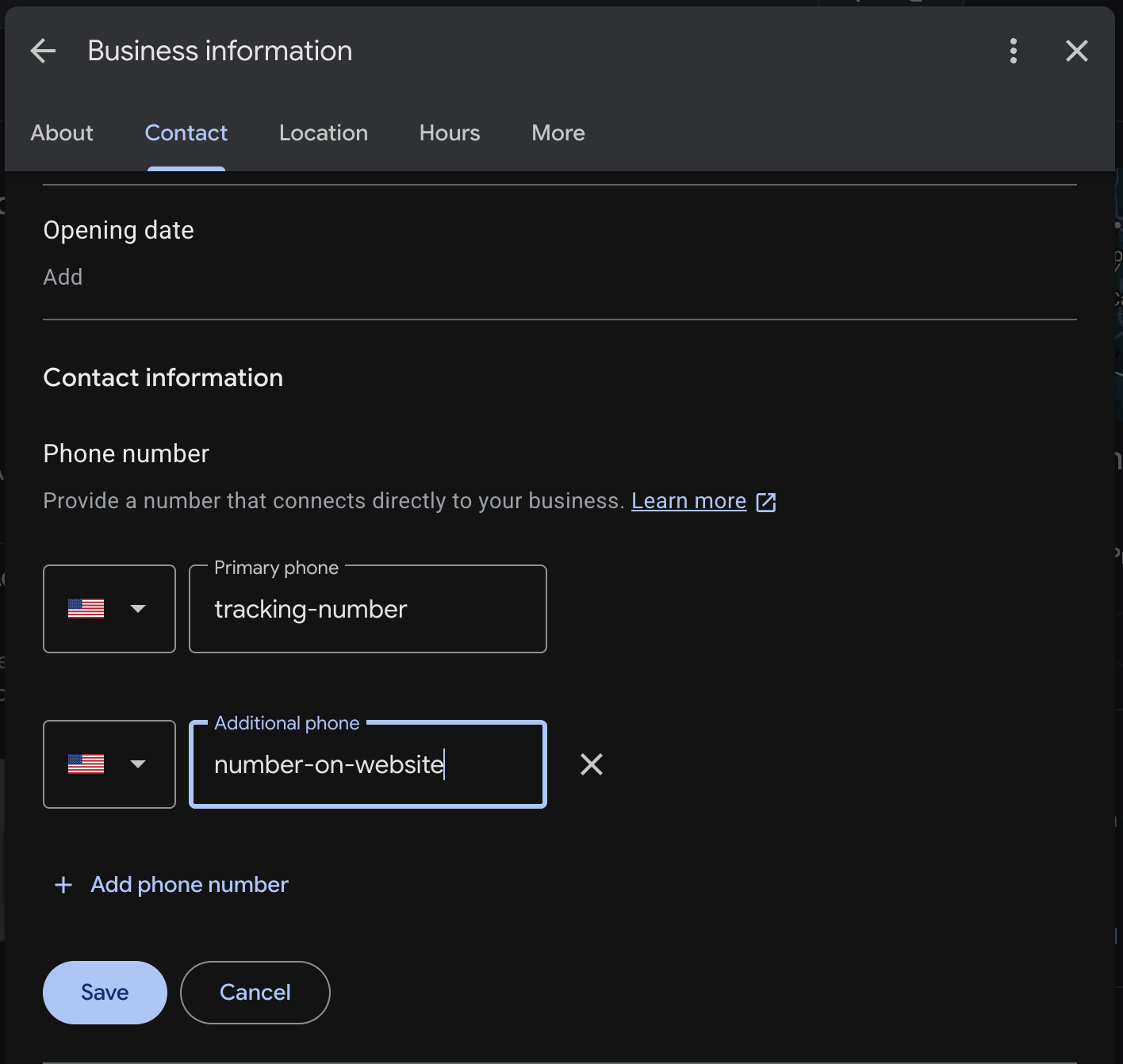
Google says the phone number "must be under the direct control of the business," prefers a local number over a call center, and doesn't allow numbers that redirect somewhere else. Call tracking numbers are the exception people ask about most. From what I've seen as of October 2026, a tracking number is fine as the primary number on your profile, as long as the location's main number is also listed as an additional phone.
7Lead-gen listings and spam sweeps
Google says "lead generation agents for corporations" aren't eligible for a profile. Fake listings have been a problem in home services for years. Back in 2019, a Wall Street Journal investigation estimated about 11 million fake listings on Google Maps, and in 2023 Google sued a group it said built about 350 fake profiles backed by more than 14,000 fake reviews. Google reported removing more than 13 million fake Business Profiles in 2025 alone.
When Google cracks down on a category, real businesses can end up in the same net. In September 2024, SEOs reported waves of suspensions hitting whole categories, with garage door companies among them. That same year, Google paused reinstatements for US locksmiths, then resumed them with video verification required after a successful appeal. More recently, in May 2026, SEOs reported profiles suspended because of restrictions on the owner's Google account, from clients who said they'd done nothing unusual.
If fake competitors are crowding your market, How to report fake competitor listings on Google Maps walks through reporting them.
Review problems are a separate track. Buying reviews or offering discounts for them usually leads to removed reviews and a warning on your profile rather than a suspension.
Edits that can set off a suspension
Some suspensions hit a profile that's been fine for years, right after the owner changed something. Google doesn't publish a list of which edits get a second look, but in my experience the risky fields are the same every time: business name, address, map pin, phone number, primary category and website.
The risk goes up when the change doesn't match anything else Google can see. If you switch the phone number on your profile before you update your website and other listings, Google sees a business whose details suddenly disagree with the rest of the internet. Change the website first, then the profile, and change one of those fields at a time.
It's not always you making the edit, either. Anyone can suggest a change to your listing, and Google sometimes applies them. Google now emails verified owners about important edits before they go live, but those emails go to whichever address owns the profile, and they're easy to miss or lose to the spam folder. Make sure that address belongs to someone who reads it.
For the full list of risky fields and the safe order to change them, see the edits Google looks at twice.
What to do if your profile is suspended
Most owners find out from an email like the one at the top of this post, or from a notice on their profile the next time they log in.
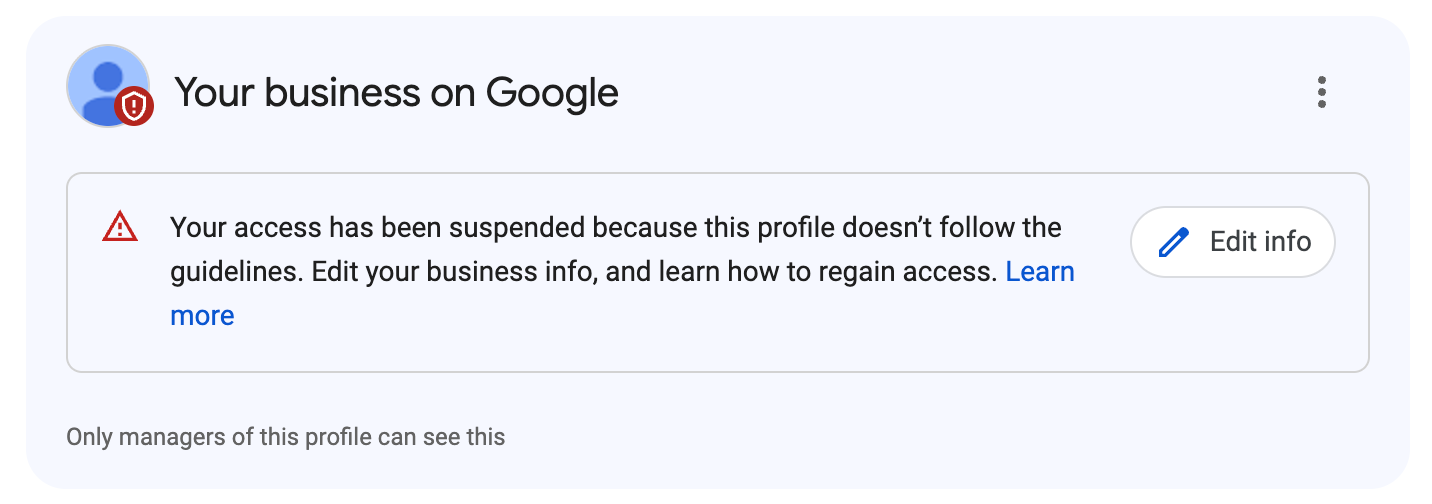
Get compliant before you appeal. You get one appeal, and if it's denied, one more review. Spend either one on a profile that still breaks Google's rules and you've wasted it. Fix every issue first, then appeal. Once you start the appeal, you have 60 minutes to upload your documents and finish the evidence form, so have everything ready before you click start.
The first rule is in Google's own words: "Do not create a new Business Profile for the same business." A second profile adds a duplicate to the problem you already have.
After that, work through it in this order:
- Find out what Google says you did. Open the Business Profile appeals tool, which Google links from its help page on suspended profiles, and select the profile. It shows the date of the decision, the reason and a link to the policy Google says you broke.
- Fix it before you appeal. If the reason is your name, change it to what's on your sign. If it's your address, hide it or replace a mailbox with your real location. Appealing a profile that still breaks the rule wastes your one shot.
- Gather proof that you're a real business at that address. Google accepts business registration, a business license, tax certificates and utility bills, and the business name and address on each one have to match your profile.
- Submit once. Google says "Appeals can only be submitted once," and you shouldn't file a second appeal on the same issue while the first is pending. Google may also ask you to verify the business again, sometimes by video. There's no hard rule for when. It depends on why the profile was suspended (Google likely won't tell you directly), your business category and the profile's history. The video verification guide has the shot list.
- Wait, and leave the profile alone. Google says appeal decisions can take up to 5 business days. In practice, appeals often take longer than that, sometimes weeks, depending on the original reason for the suspension and how quickly you send any follow-up documents Google asks for.
- If it's denied, you get one more review. You can ask for it only after a denial, and you can add evidence you didn't include the first time.
If the whole Google account is restricted, not just one profile, appeal the account first from the My accounts page. Profiles can't be reinstated until the account is.
The appeal checklist covers the documents Google wants and how to submit everything in one sitting.
How to keep it from happening again
Most of this is boring, which is the point. A profile that looks exactly like the business in real life gives Google nothing to question.
- Use the name on your sign, trucks and invoices, and nothing else.
- If you go to customers, hide your address. Never list a virtual office or rented mailbox.
- Keep your service area within about two hours of your base.
- One profile per business. A second location needs its own service area and its own staff.
- Change name, address, phone, category or website one at a time, and update your website first.
- Clean up who has access. Remove former employees and old agencies, and keep ownership with the business, not your marketing company. Google's third-party policies say the same thing.
- Watch for edits you didn't make, and make sure Google's emails go to an inbox someone checks.
That last one is where a monitoring tool earns its keep. Porchlight's paid plans check your profile every day and email you when something changes, including changes you didn't make. If you want a starting point, the free profile check shows what Google says about your listing today.
Common questions
Can I just make a new Business Profile if mine is suspended?
No. Google says not to create a new profile for the same business. Fix the issue and appeal the existing one.
How long does a Google Business Profile appeal take?
Google says up to 5 business days. In practice, it often takes longer, sometimes weeks, depending on the reason for the suspension and how quickly you answer any follow-up requests.
Will I lose my reviews if my profile is suspended?
The honest answer is that it depends. If the profile is restored in a reasonable timeframe, most of your reviews should come back with it.
Can a competitor get my profile suspended?
They can suggest edits and report your listing, and a suggested edit Google applies can trigger a review. Watching for edits you didn't make is the best defense.
In most cases, the fix for a suspension is making your profile match your real business, then proving it. The businesses that get stuck are the ones that drop the ball during the appeal. Google's support team expects you to answer their requests within a reasonable timeframe. If you don't, they treat the matter as closed and you have to start over.
Sources
- Google: Guidelines for representing your business
- Google: Fix suspended or disabled profiles
- Google: Appeal Business Profile content and profile restrictions
- Google: Third-party policies
- Google blog: New ways we're protecting businesses on Maps (Apr 16, 2026)
- Search Engine Roundtable: suspensions tied to account restrictions (May 5, 2026)
- Search Engine Land: Millions of fake Google Maps listings hurt real business and consumers (2019)
- Search Engine Roundtable: Google sues alleged scammers over fake Business Profiles and reviews (2023)
- Search Engine Roundtable: Google Business Profile suspensions, disabling mass accounts (Sept 2024)
- Search Engine Roundtable: Locksmith reinstatements resume (June 2024)
- Coalmarch Marketing: How Google Business Profiles drive home service leads (Oct 7, 2026)
Is your Google Business Profile complete?
A quick check of what Google and customers look at first: whether you've claimed the profile, your description, hours, website and booking link.